Volkswagen 5C and 5D key systems are commonly found in a wide range of VW vehicles. For automotive locksmiths and diagnostic technicians, being able to read and write key data on the bench can significantly improve efficiency when preparing replacement keys or working on vehicles that are not physically available.
In this guide, we will demonstrate how to use the Xhorse Multi Prog ECU Programmer to read and write VW 5C/5D key data using the bench method. This procedure is especially useful for:
- Preparing replacement keys before vehicle access
- Cloning or programming key data
- Working remotely without direct access to the vehicle
- Saving time during key learning and immobilizer service
- Supporting professional locksmith and workshop operations
The Xhorse Multi Prog offers a reliable solution for reading immobilizer and key-related data directly from the module, allowing technicians to perform advanced key programming tasks with greater flexibility and accuracy.
Tools Required
Before starting, make sure you have the following equipment prepared:
- Xhorse Multi Prog ECU Programmer
- Computer with the latest Xhorse software installed
- Appropriate bench adapters and connection cables
- Stable DC power supply
- Original VW 5C/5D key PCB
- Blank key PCB for programming
- Working USB connection
Having the correct tools and a stable power source is essential to ensure successful communication with the module and prevent data corruption during the read or write process.
In the following sections, we will walk through the wiring connections, software operations, and step-by-step procedures required to successfully read and write VW 5C/5D key data using Xhorse Multi Prog.
Step 1: Open Software and Select Function
Volkswagen
Select 5D Smart Model(Changeable ID)

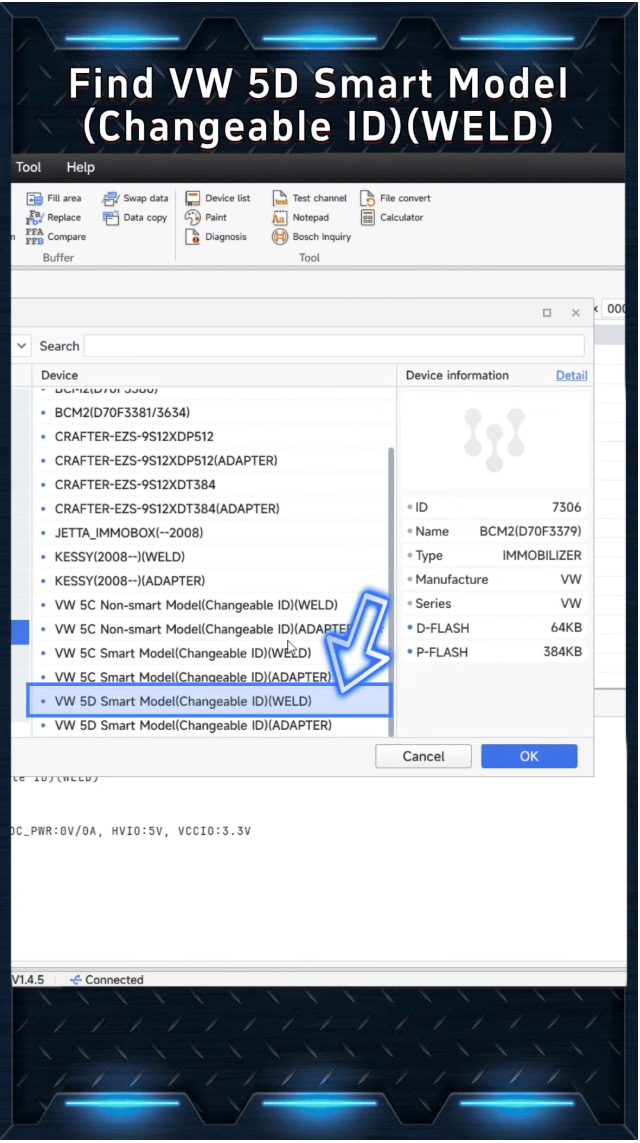
Step 2: Follow Wiring Diagram
Check the wiring diagram provided in the software
Carefully solder the wires to the correct points on the original key PCB
Accurate wiring is critical for successful communication and data reading .

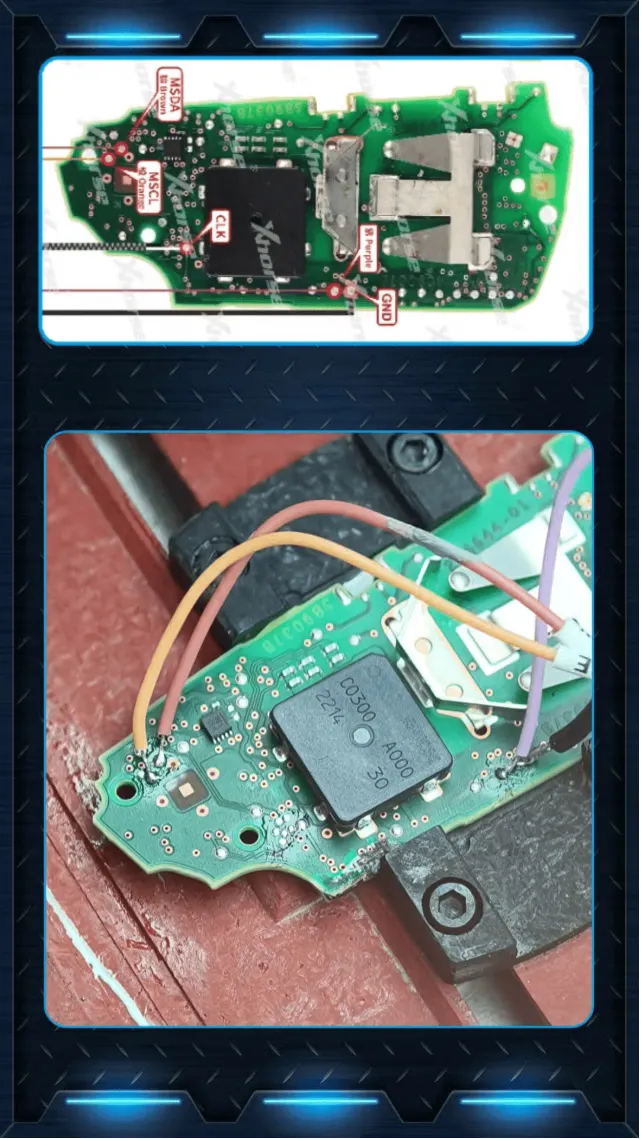
Step 3: Connect the Device
Connect Multi-Prog to your computer
Attach the appropriate adapter
Ensure the power supply is connected

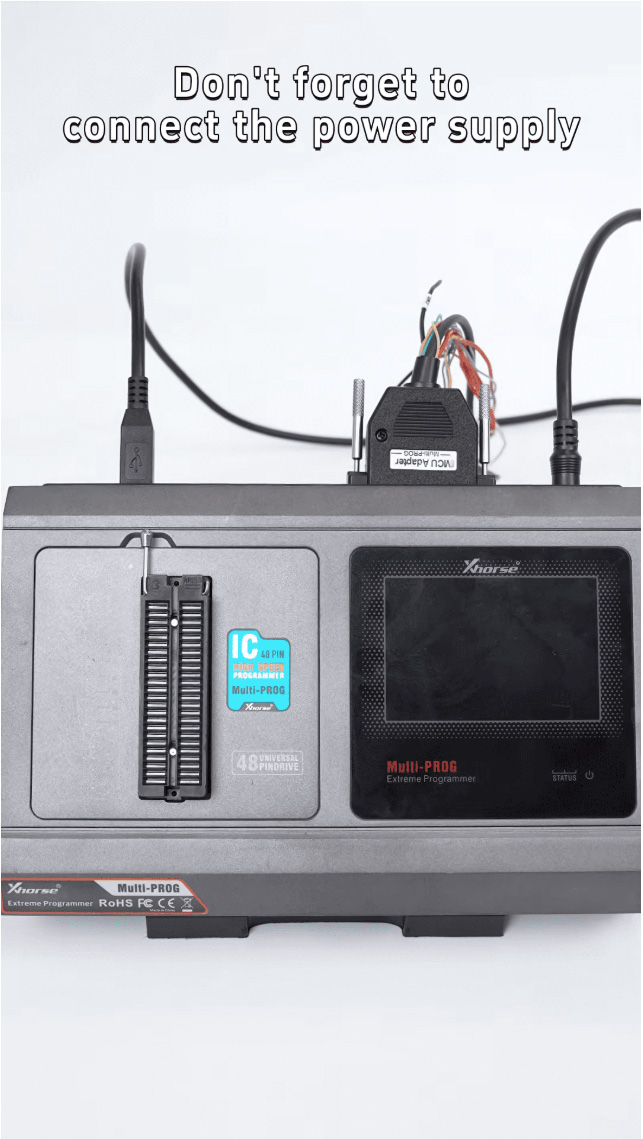
Once everything is ready,proceed to the next step.
Step 4: Read Key Data
Click “Read” in the software.
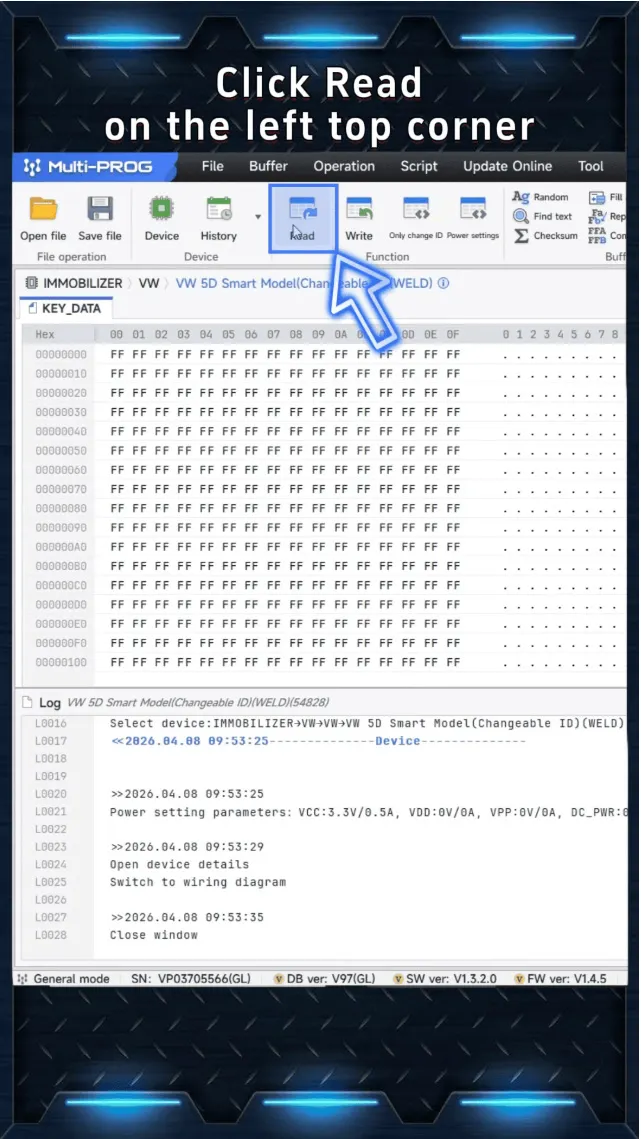
If everything is connected correctly,the system will read the data successfully.
Save the file to your computer- this file contains the orginal key data.

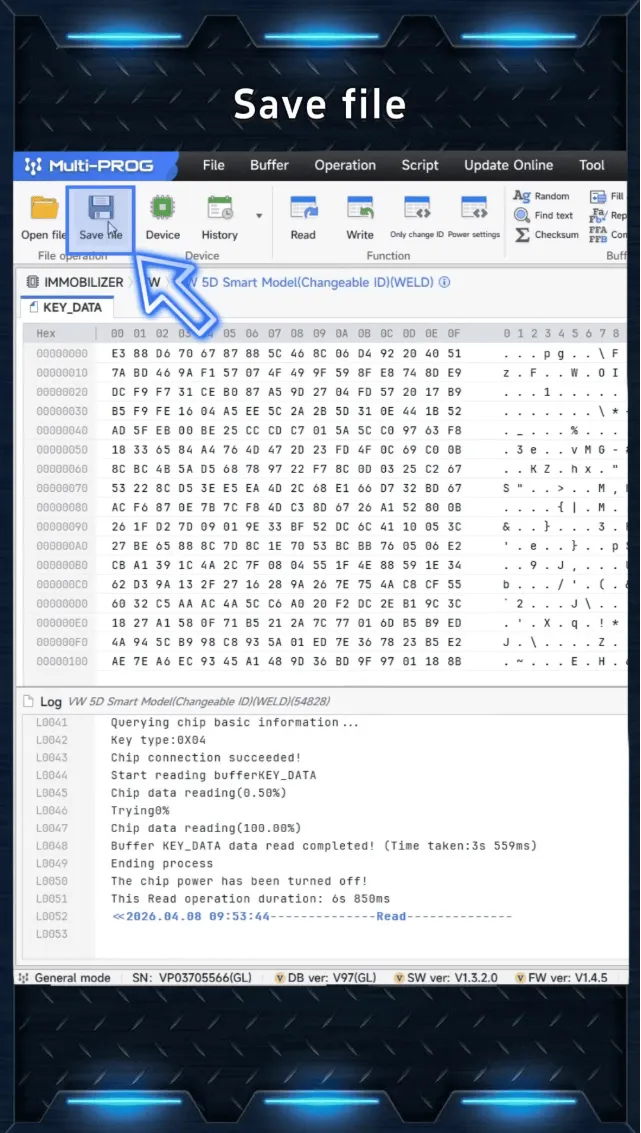
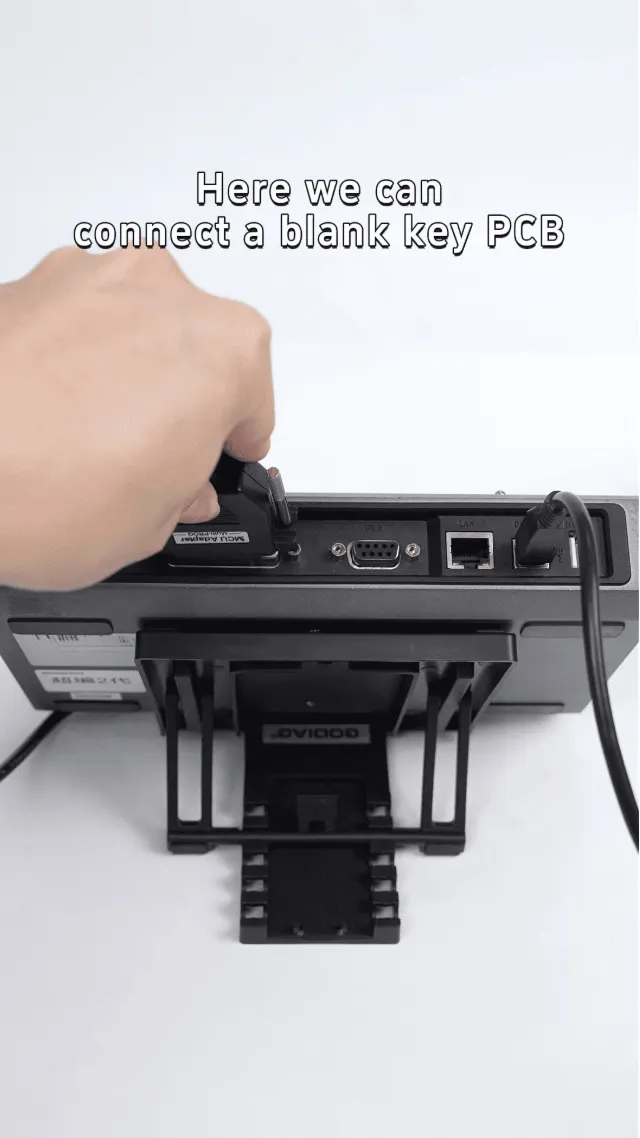
Step 5: Write Data to a New Key
Now connect a blank key PCB.

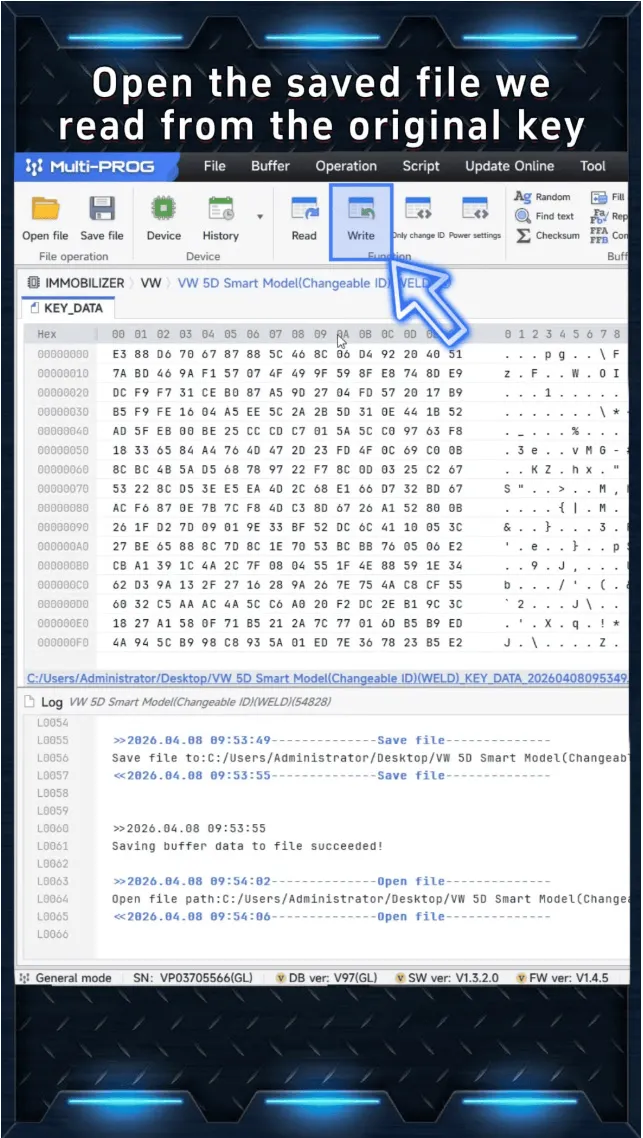
Load the saved file from the orginal key
Click the “Write “ function (next to the Read button)

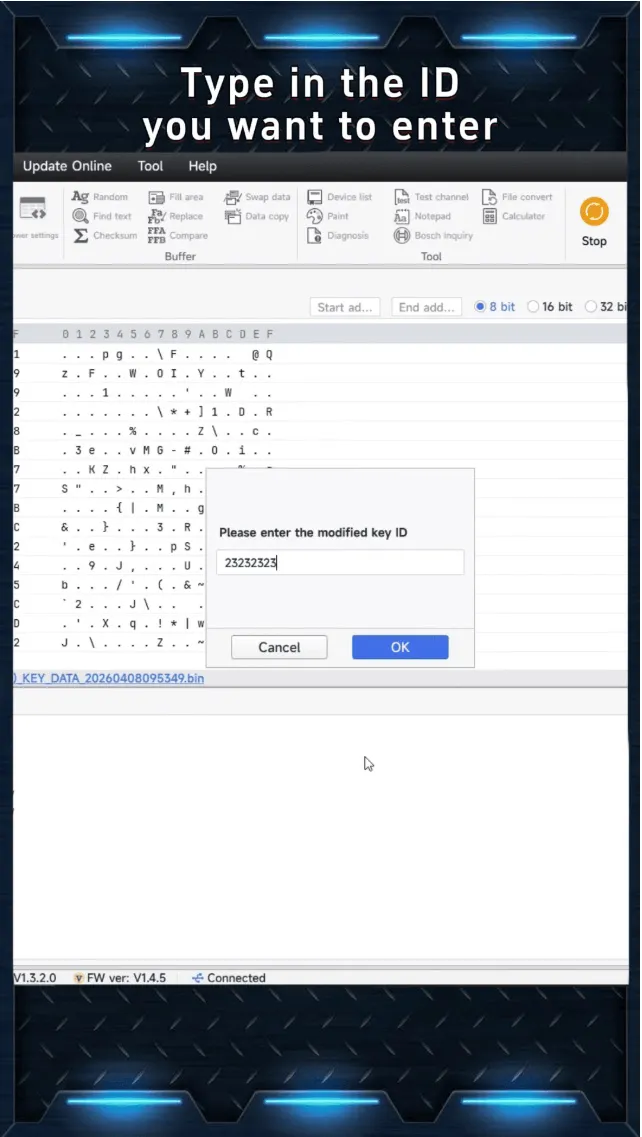
Enter or modify the ID if needed .

Once completed ,the system will confirm Write Success.
Step 6 : Generate the New Key
The generated data file can now be imported into:
Key Tool Max /Key Tool Midi
Insert a new chip and generate the 5D key,making it ready for use in the vehicle .
You now have a fully prepared 5C/5D key based on the orginal data.This process allows for efficient key duplication and preaparation without direct vehicle interaction .
Xhorse Multi-Prog Programmer provides a powerful bench solution for handling Volkswagen 5C/5D key data.By following proper wiring and step-by-step procedures,technicians can reliably read,modify and generate keys with high efficiency .
Xhorse Multi Prog, VW 5C Key Data, VW 5D Key Data, Volkswagen Key Programming, Bench Key Programming, Key Cloning, Locksmith Tools, Immobilizer Programming, VVDI Key Tool Plus, Automotive Locksmith, VW Replacement Key, ECU Programmer
评论
发表评论